
Midgard
- Kelly Clayton
- Aug 8, 2022
- 5 min read

Updated: Aug 18, 2022
Midgard - The Development (4A, 4B, 4C)
I developed this environment alongside Earth/Sea/Sky (ESS) as they are both outdoor daytime scenes and had the same problems with the same solutions.
1. Concept Development
I began by collecting references of Iceland. However, as you can see from the Iceland references, the Vikings and soil erosion from overgrazing has basically left Iceland treeless.

Iceland
Fortunately, my trip to Norway provided me good reference on how rock and trees interact with each other on landscapes.

Norway
I also looked back on at my animatic and colour key which is what I used mostly to build this environment.

2. Staging and Lighting
I first positioned a camera in the scene, put in a tree from Forest in the middle and started sculpting the landscape around it. I then applied a copy of my Landscape Material and quickly laid down where I wanted grass or dirt/rock.

Environment Blocked
And then figured out the basic lighting.

I started implementing some pine trees I had made in TreeIt and realised that I would have problems with LODs. LODs are the Level of Detail on assets.

The further away the camera is from an object, the less detail there will be. This is fine with game environments as they get loaded as the player goes closer to the planes/geometry but not so much for my static cinematics as the camera never gets close to them.
I still tried to build the environment anyways with these trees. The foreground hills were okay, but the background was struggling and having the most issues.

I tried to force the LODs using this command I found on the UE4 forums -

but it still looked bad. I honestly don’t really know much about LODs and should learn about it more in the future. I tried to make denser bushes to fill in the spaces but still didn’t really like the outcome.

So I looked for other option for the trees. I remembered I had a very basic tree from my Village original block out from Semester 2 so add that to my foliage brush and tried it out.
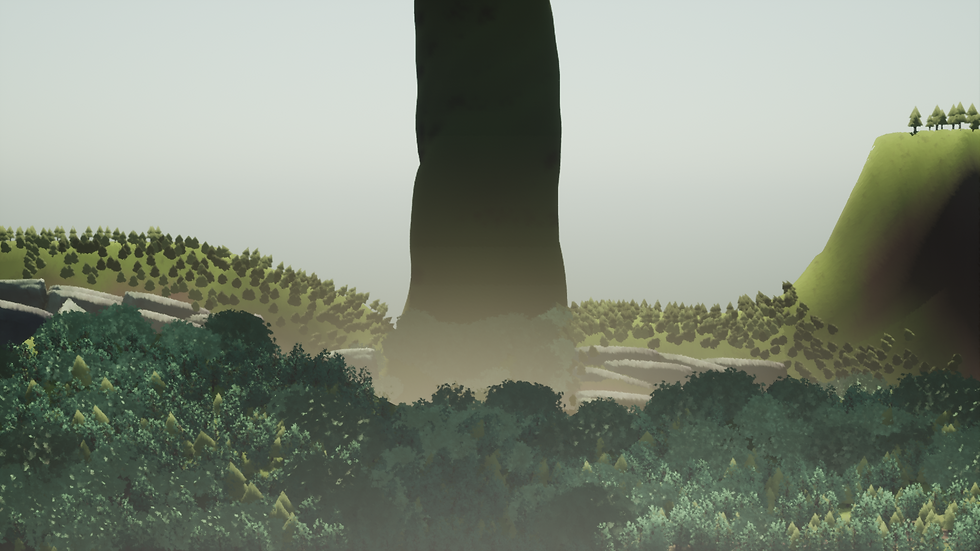
I sprayed them around on my backgrouund hills and realised that this will fix my LOD issues at least with the background hills. I also started to add in some rocks to try split up the front and back moutains from looking like mush.
I took the tree into Maya to make proper UVs and the brought it into Painter to make an opacity map. Making the edges less straight.
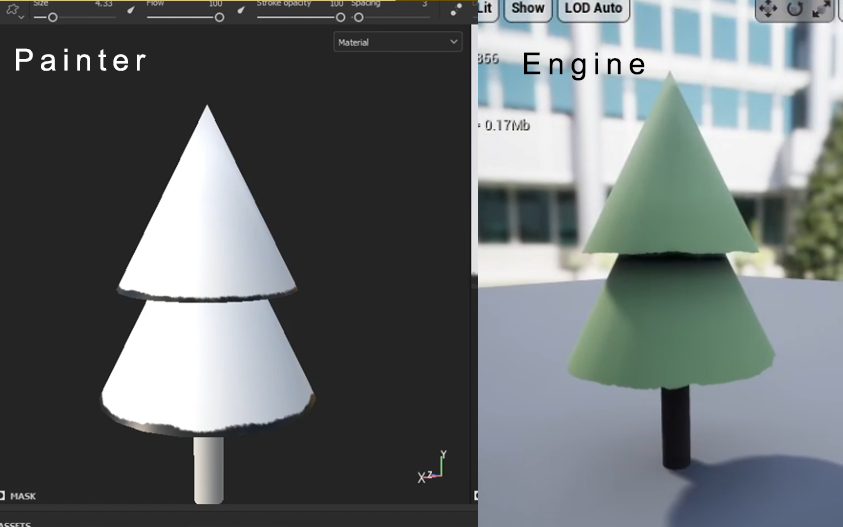
Not that you can really see the change in engine but it makes it more fun.
I then removed all the background trees and put a screenshot of the environment into Photoshop and figured out what I still need.

Adding white blocks of fog/clouds will help breaking up the mushy trees. The heavens (the white streak in the sky) still needs to be added as reference to the scene before. And the sky needs to be changed to blue - so then I will need to change the colours to be less orange. Plus the background needs 2 hills to match the concept.
I took these two background hills into Engine from my colour key layers. I made an alpha map from the layer and used the original colour as the diffuse. I also took the original sky from my colour key and added it to Engine.

Athough the sky is weird and the bg hills are too dark, it helped getting them in there to push me in the right direction. In Engine I also decided to put in my middle ground hills from the colour key. Flicking the layer on and off, checking where I am and where I need to go.

During this time I added the foreground rock from my animatic. I used the new rock material I made for ESS.

I continued to build up the scene with more rocks and trees. Adding trees onto the rocks like you see in Norway. I placed these by hand so that I could have more control over the trees.
With the foliage tool, on placement they follow the direction of the sculpted landscape. So you can end up with some 90 degree trees if your landscape is steep. I know that there is a way to force the foliage to ignore this and stay upright in the Z axis but I couldn't remember and couldn't find something on it.
Placing them myself worked for me anyways. Though in a real production you wouldn't be able to do this.
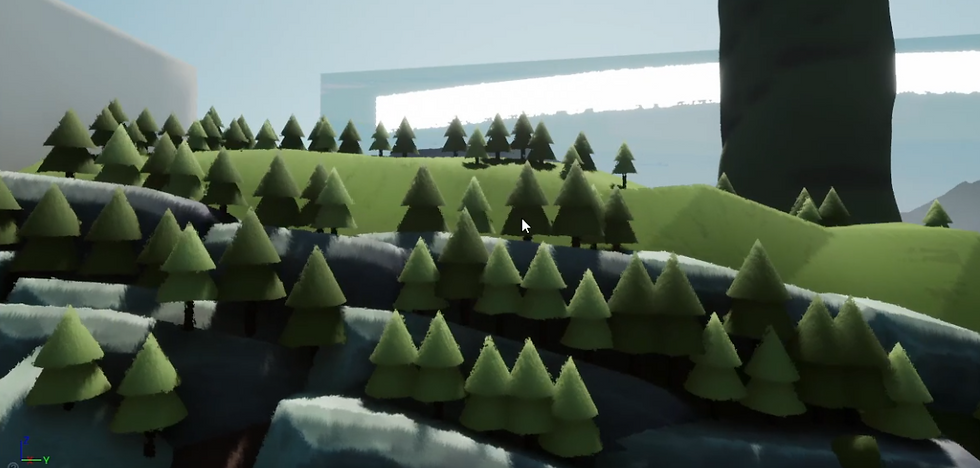
To give depth and variation, I used two materials for the trees.

When I was mostly happy with the middleground mountains, I started work on the foreground mountains.

I cleared half the hill from the old foliage because I was still unsure if I wanted the individual tree look or the more dense vegetation. So was going to try half and compare.
In the end I did end up just removing all the old foliage and placing the trees and rocks by hand. It gives a way cleaner output too. There is just a suggestion of a forest.
I added in the 2D fog from the earlier Photoshop paint over and started adjusting the lighting to suit. I changed the bg 2D hills to a solid colour and added a rect light to make it look like one side of the hill is brighter than the other. Basically faking the texture.
I also adjusted the position of my transparent fog planes that I used in Village and Forest previously.

I followed this mans tutorial and created some wind particle effects.

This was the result -
(sometimes you need to refresh the page if this video doesn't want to play)
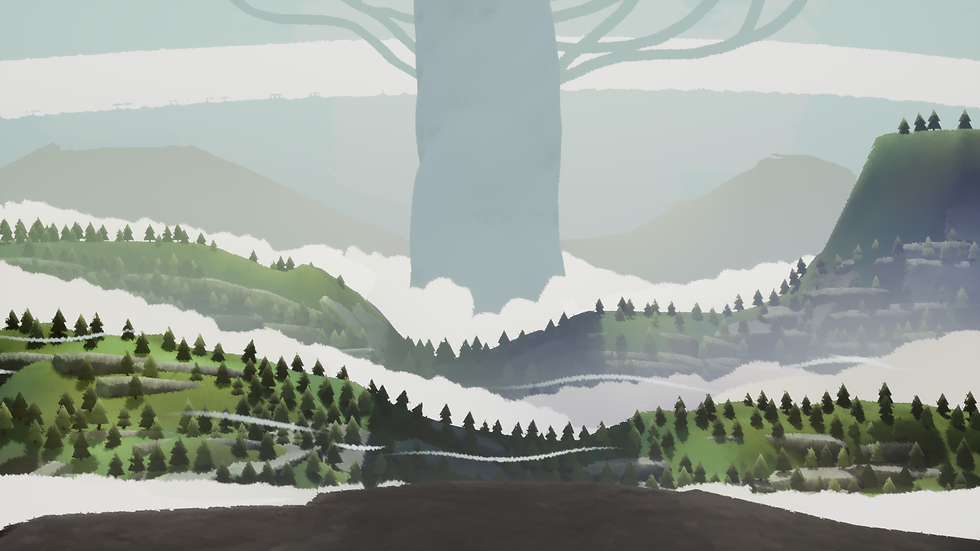
I added "branches" to the tree but after feedback, the tree should be thicker and/or the branches should be larger.

Of course I have light blockers in too. For the main tree I have an extra cube to continue the shadow into the foreground. I also have 2 sky planes with a leaf alpha on them (used in Village) for some shadows on the edge of the scene to make it more interesting.

The cube blocks on the side just let me know where the frame ends and doesn't effect the shadows.
I have a few additional lights that just brighten up parts of the landscape and the shadows. It's subtle but that's all it needs.


---
Changes:
Branches on main tree thicker
Add different coloured materials for the 2D solid fog as you go further into the scene for depth
Fog animated to move slightly
---
I moved the heavens down and added rain using this video (here). For the storm after the lightning.

3. References
Iceland


Comments