
Earth/Sea/Sky (ESS)
- Kelly Clayton
- Aug 9, 2022
- 3 min read

Updated: Aug 18, 2022
Earth/Sea/Sky (ESS) - The Development (3A, 3B, 8A, 8B, 8C)
I developed this environment alongside Midgard as they are both outdoor daytime scenes and had the same problems with the same solutions.
1. Concept Development
I used my collected images of Iceland and trip photos from Norway to mainly build this environment as well as my colour key.

Colour Key for shot 3A and 3B
2. Staging and Lighting
I started by sculpting out the landscape and adding the Landscape material I used in Village to base out the colours.

From looking at references, I saw for rocks on the coast that there is a gradation from dark brown/purple to brown to grey and wanted to implement that.

So I took my rock back to painter and created these variation.

When I was back in Engine, I created the materials to include a Vertex Color Node so that I can paint brown onto grey and brown onto dark brown/purple rocks.

Material for grey rocks

Vertex painted rocks
As I started this environment at the same time as Midgard, I of course had the same problem with LODs. I solved this problem within the Midgard environment before returning to this one.
I sprayed a bunch of trees on the landscape with the foliage tool to see how they would sit on the landscape and decided that it would be okay to use the foliage tool in this environment. Only needing to place some trees by hand on the major steep bits around the planned cliff rocks.

I updated my landscape material to the one I used on Midgard as it has a different range of greens and re-painted the environment.

I also re-painted in all the trees and made them tiny but it doesn't really match the scale of the rocks. Also I realised that because they are so small, I would need so many to fill the landscape which means Engine lag/delay as I already have other heavy levels on this file. So I deleted them all again and started again.
At this time I added two fog planes that split the middle hill from the one of the left and right and another one diagonally that cuts across these to make the image look less flat. I also blended the new greens from my updated landscape material together better.

Diagonal fog plane
Theoretically, the trees should be larger the closer they are to the camera/coast too so I started the foliage tool at a 0.35 Scale X value. Working from the background to the foreground increasing the Scale X value in 0.05 or 0.1 increments.

I added in the cliff rocks onto the hills to give the landscape more texture and to match the hill creation in the Midgard environment.
---
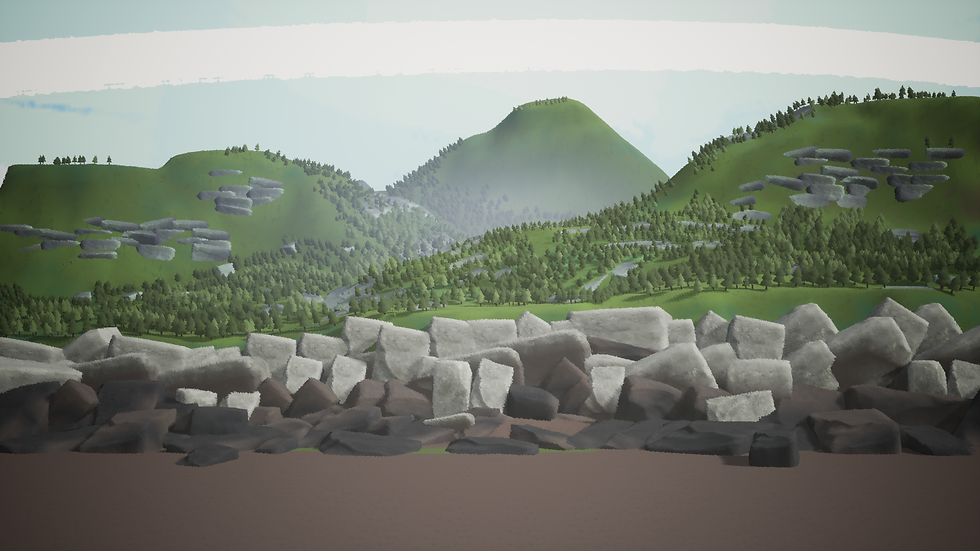
I added water using the ocean mesh from unreal engine, but I didn’t like the outcome. Though it looked good when I used it in my shader test last semester, it’s not good here. I find the ocean very clunky to work with too because there are too many parameters to faff with. There also no foam on the rocks so the water looks disconnected to the scene overall.

I did a 360 and decided to use the water test I created in semester 1. I opened my file again and tester out my post process shader on it again which worked out well. So, decided to make the material is my version of unreal again (sem 1 test was in ue5, I am in ue 4.27.3).
I also decided to take my Midgard env and move some things about and use it for this environment. Because the environments need to match each other, this was the best thing to do.

I lifted half the tree and rocks, re-sculpted the landscape, and added the trees back in. I moved around some of the lights and 2d fog planes to suit this version.

Then added my new water material on a plane to the scene. I had to adjust somethings, but it was working pretty well. I didn’t use the extra textures I made for the rocks for the environment.

I split it out into separate parts for comp.
3. References
Iceland


Comments